Feature demos below. Newer versions may look slightly different.

Splits donut faces by connecting the inner and outer loops.
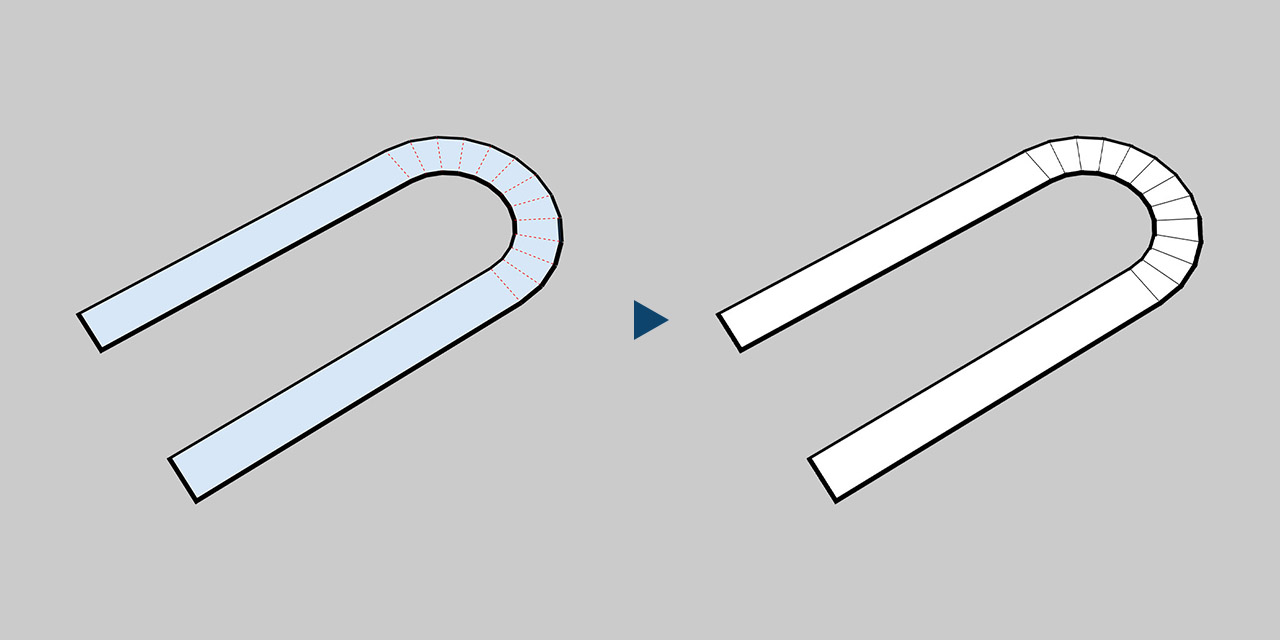
Splits long even-sided faces into segments.

Extends selected edges across faces to the boundary.

Uses a face as a slice to split the whole object.

Turns soft or hidden edges into visible geometry.

Splits under the cursor, best direction picked automatically.

Adjusts the direction with the arrow keys and previews live.

Quick Split

4.00 $

Latest version 1.11 – Updated 18/08/2025

We offer a 100% money-back guarantee if you are not satisfied with the product within 7 days of purchase, no questions asked. Policy ›

Main features

  • Splits donut faces by connecting the inner and outer loops.
  • Splits long even-sided faces into segments.
  • Extends selected edges across faces to the boundary.
  • Uses a face as a slice to split the whole object.
  • Turns soft or hidden edges into visible geometry.
  • Splits under the cursor, even across nested groups.
  • Finds the best split direction automatically.
  • Adjusts the direction with the arrow keys and previews live.

Splits sausage and donut faces, extends edges to the boundary and uses a face as a slice to cut an object in SketchUp.

Requirements

SketchUp 2016 or higher, 2022 or higher recommended.

How to install

If the download is a ZIP, extract it to get the RBZ installer. Open Extensions > Extension Manager in SketchUp and install the RBZ file. Restart SketchUp if needed. The plugin is in Extensions > d95design.com.

How to uninstall

In Extension Manager, uninstall the plugin and restart SketchUp.

1.11 | 18/08/2025

FIX
  • Fix NameError bug.

1.10 | 17/08/2025

NEW
  • Toolbar icons design v2.
IMPROVE
  • Buttons now show their active state while in use.

1.09 | 27/07/2025

IMPROVE
  • Improved display of the preview select face.
  • New icon design.

1.08 | 25/07/2025

IMPROVE
  • Improved display of the preview slice face.

1.07 | 24/07/2025

IMPROVE
  • New sausage face splitting algorithm with improved accuracy.
CHANGE
  • New icon design.

1.05 | 09/07/2025

NEW
  • Add Slice mode. Press Shift to enable it, then select the face to slice with.
CHANGE
  • New icon design.

1.04 | 09/07/2025

FIX
  • Fix a bug that treated groups as components.
  • Fix a bug when processing edges and faces near the coordinate axes.

1.03 | 09/07/2025

FIX
  • Fix a preview line problem with components.

1.02 | 08/07/2025

NEW
  • Click an edge to extend it.
CHANGE
  • Change the appearance of preview split lines.

1.01 | 07/07/2025

CHANGE
  • New icon design.

1.00 | 04/07/2025

NEW
  • Release.

Related products

Purchase

Enter your email to continue to payment. Your order details and download link will be sent to this address.

Secure payment, with instant delivery to your email after checkout.
By continuing, you agree to our terms and refund Policy ›